



Umalator 101
Umalator is an unofficial, community-created simulation tool for Umamusume: Pretty Derby. It is mainly used for optimizing for Skills and figuring out Stamina requirements: This section will explain how to use this tool.
DANGER
Although the kachi fork is the version of this tool with the most features, use all variants with caution.
Umalator is inherently flawed, and is mainly useful for visually checking where skills activate.
https://kachi-dev.github.io/uma-tools/umalator-global/
Example Usage
Assume we are training a Oguri Cap for Sagittarius Cup, and need to select her Skills.
First, we select our Uma. Do so by clicking here:
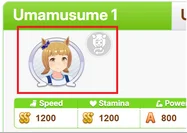
Selecting Uma.
We then select the Track and the Track Conditions. For Sagittarius Cup, this is Nakayama 2500m and Sunny/Firm/Winter.

Selecting Track & Conditons.
Then, we input our Stats, Aptitudes, and Style.
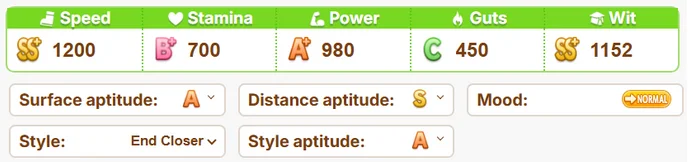
Selecting Stats.
Now, we can navigate to the Skill Chart. This chart will tell us the best Skills to buy based on average Length gained.
WARNING
The Skill Chart will ignore some Activation Conditions and assume the best case scenario. An example is Unyielding: Because of the change_order_onetime>0 Condition, this Skill almost never activates at a good time. However, as Umalator assumes the best case scenario for this condition, it will often recommend it in the Skill chart.
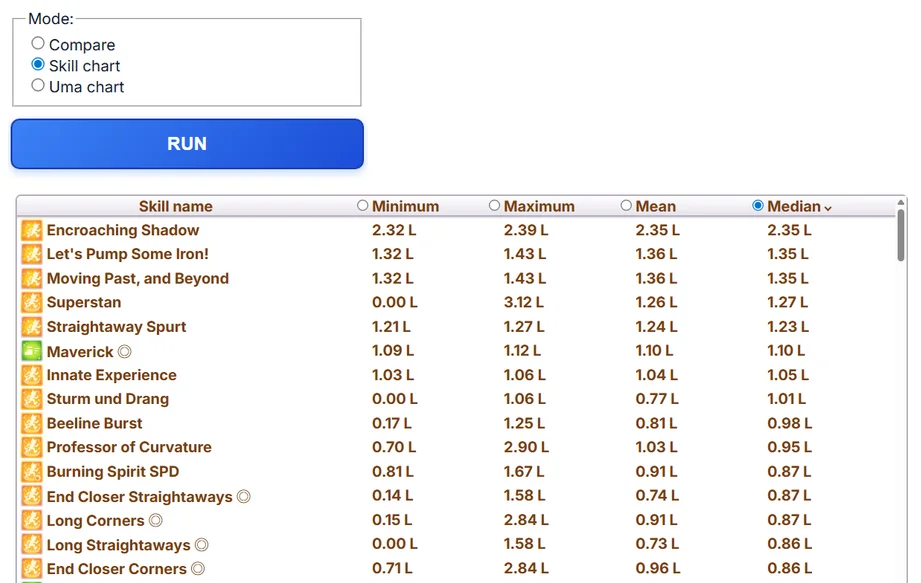
The Skill Chart.
By comparing the Skill chart and our available Skills, these are the preliminary Skills we decided upon:
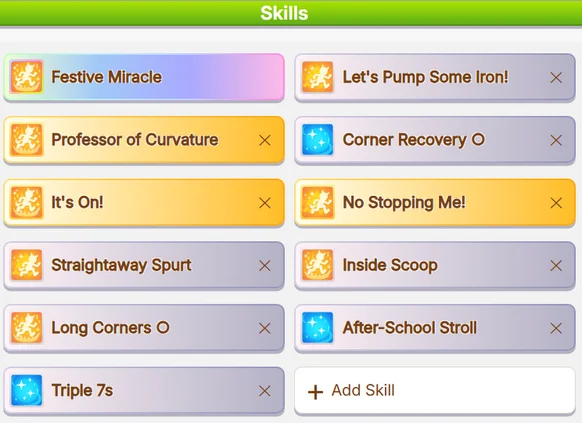
Selecting Skills.
After choosing Skills, we need to check for Stamina requirements. We can do so by swapping to Compare mode and running the simulation.
The Compare button.
We can find the Survival and Spurt Rate under the Lengths comparison. Survival Rate is how often our Uma survives at the end of the Race, and Spurt Rate is how often she gets a full Spurt at the start of late-race.
Looking at the simulation, our Oguri Cap has a very low Spurt Rate. This means she needs more HP: We can achieve this through either purchasing a Recovery Skill or a Stamina Green Skill.
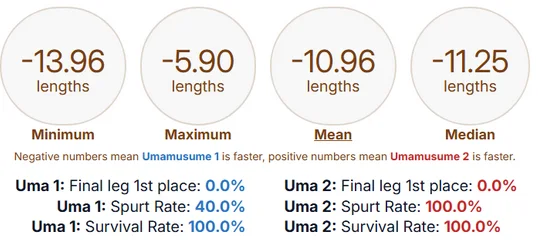
Simulation 1.
For the sake of demonstration, we will add  Nakayama Racecourse and remove
  Inside Scoop, which gives 40 Stamina. The 40 Stamina raises our Spurt Rate to 86.7%, which is acceptable.
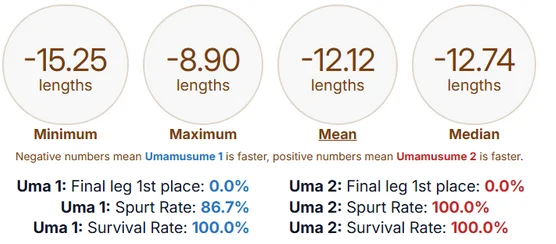
Simulation 2.
We can then purchase the Skills in-game.
TIP
When simulating for consistency throughout Champions Meeting, use Normal Mood. If we are only simming for the Finals, use Great Mood.